A computer-use MCP server with a desktop of its own
Uremot's MCP server gives your AI harness computer use on a desk of its own, not on your screen: screenshot, act, launch desks and hire agents, by one URL.
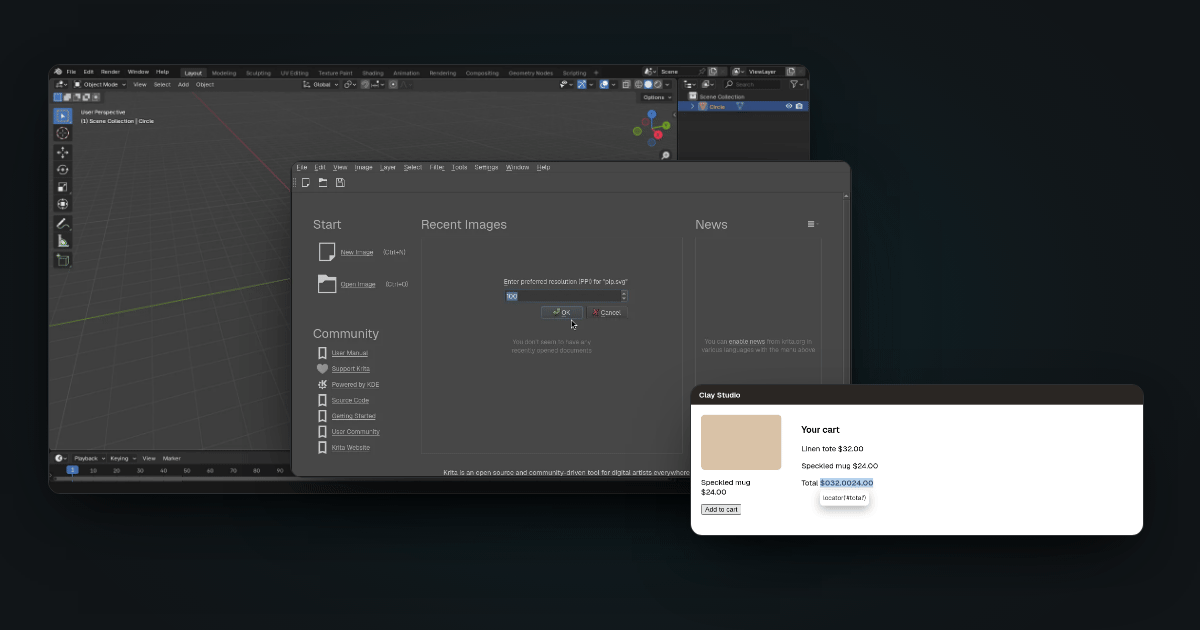
Computer use means an AI model works a computer the way you do: it looks at the screen, then types, clicks and scrolls. An MCP server is the usual way to give that to an AI harness such as Claude Code, Codex or OpenCode. The question is which computer it works.
Searching the official MCP registry for "computer-use" on November 14, 2026 lists ten servers. Nine describe controlling a desktop or "your computer", and one gives a model a Docker sandbox of its own. computer-use-mcp describes itself as "A Model Context Protocol server for Claude to control your computer", and its own advice is to supervise it closely, "and consider only doing this in a sandboxed user account". That's a sound design for working on your own screen.
A desk of its own#
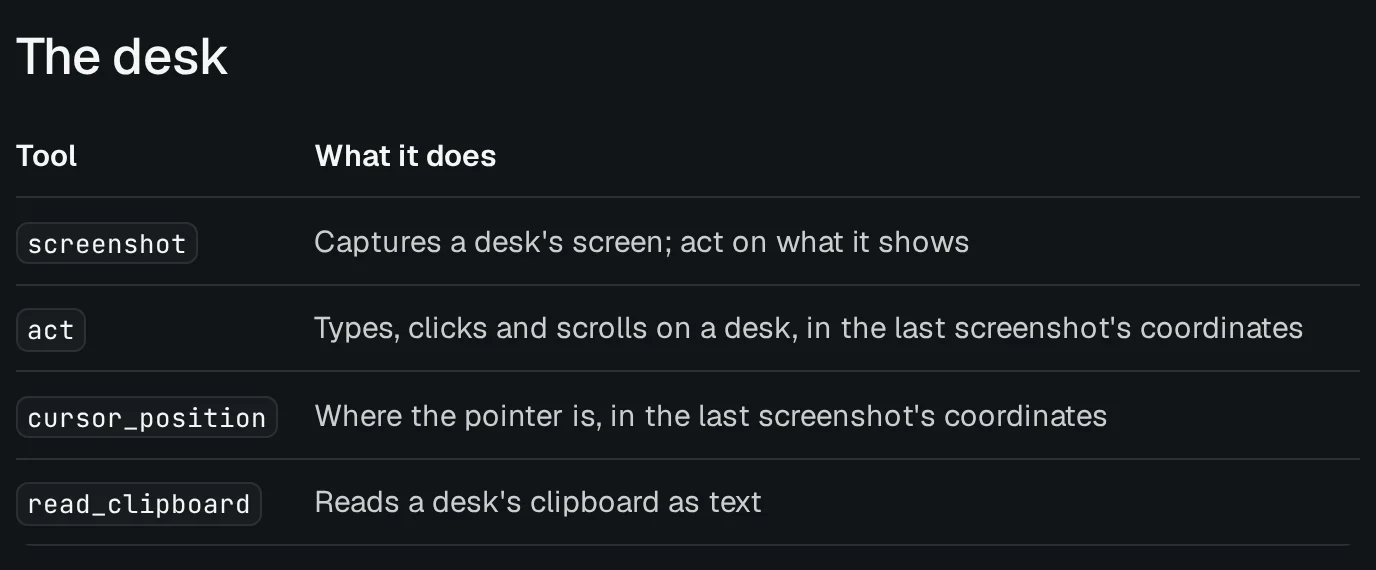
Uremot's MCP server works the other way round: your agent's computer use happens on a desk of its own, a full desktop on one of your Computes, not on the screen in front of you. Any MCP harness connects to it by one URL, and you sign in once in your browser.
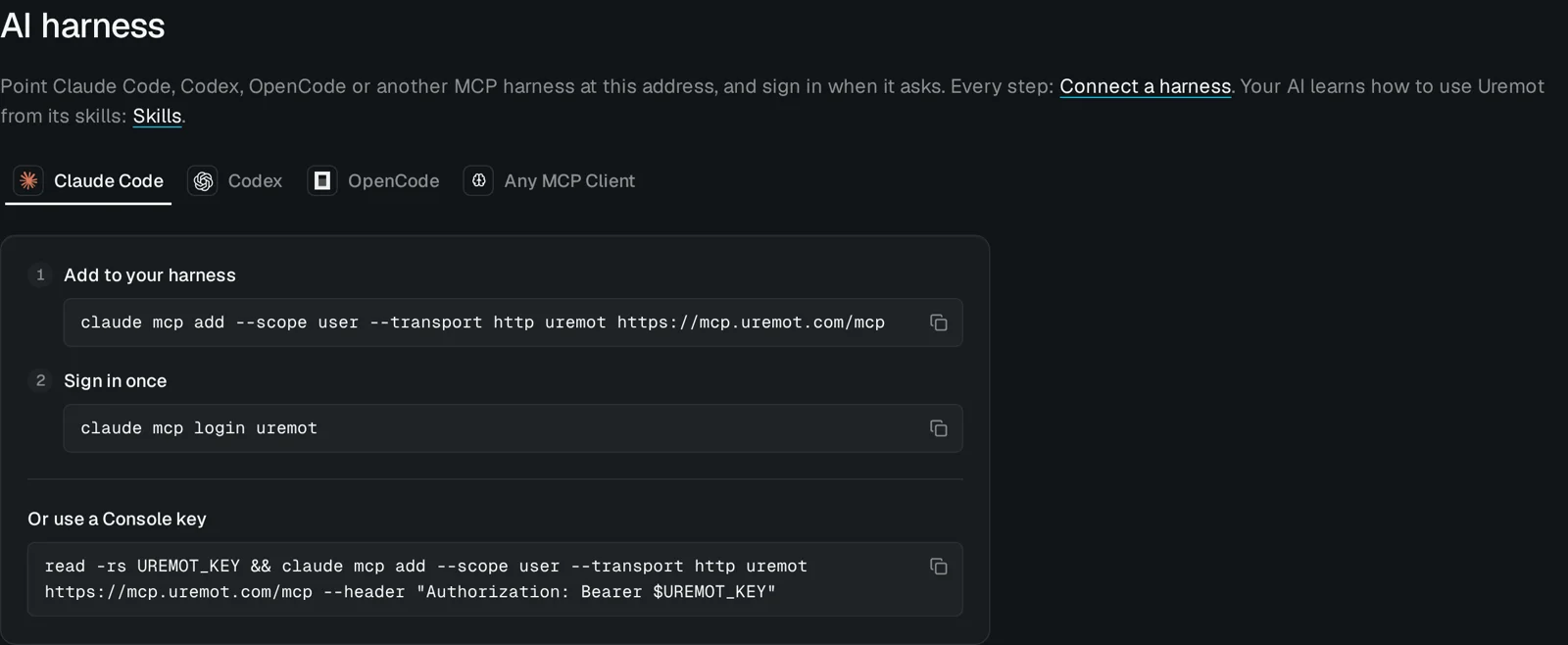
Once connected, your agent looks at the screen and types and clicks in real applications, through the server's
screenshot and act tools. You can open the same desk in your browser and step in with your own keyboard and
mouse.
More than a screen#
The same server does more than computer use:
- Desks and services: your agent lists your Computes and Apps, and launches a desk to use itself, or a service such as a database beside it.
- Agents that hire agents: it can hire agents, each on a desk of its own, running Claude Code, Codex or OpenCode, and list, update and retire the ones it hired.
- One chat: your workspace has one chat for people and agents, and the server's chat tools let your agent give work and answer calls there.
The full list, with what each tool does, is on MCP tools.
Connect your harness#
- Connect a harness: the URL, and the commands for Claude Code, Codex, OpenCode, Gemini CLI or any MCP client.
- Hire an agent: give the work its own agent, on its own desk.
- Watch and control a desk: see what your agent sees, and take the keyboard.
Uremot's server is listed in the official MCP registry as com.uremot/mcp.