A full desktop for an AI agent, inside its sandbox
Computer use needs more than a headless sandbox. Each Uremot desk is a container with a full desktop inside: whole apps, a browser and a screen you watch.
A sandbox for an AI agent has mostly meant a headless one: a container with a shell, a file system, sometimes a browser with no window. That's the right tool when the work is code you can run and output you can read. Some work isn't. The app has no API, the page only works with a mouse, or the answer is something you see on the screen.
An agent's desk on Uremot is still a sandbox: each desk runs in a container. What's inside is the difference: a full desktop, not only a shell.
What a full desktop gives an agent#
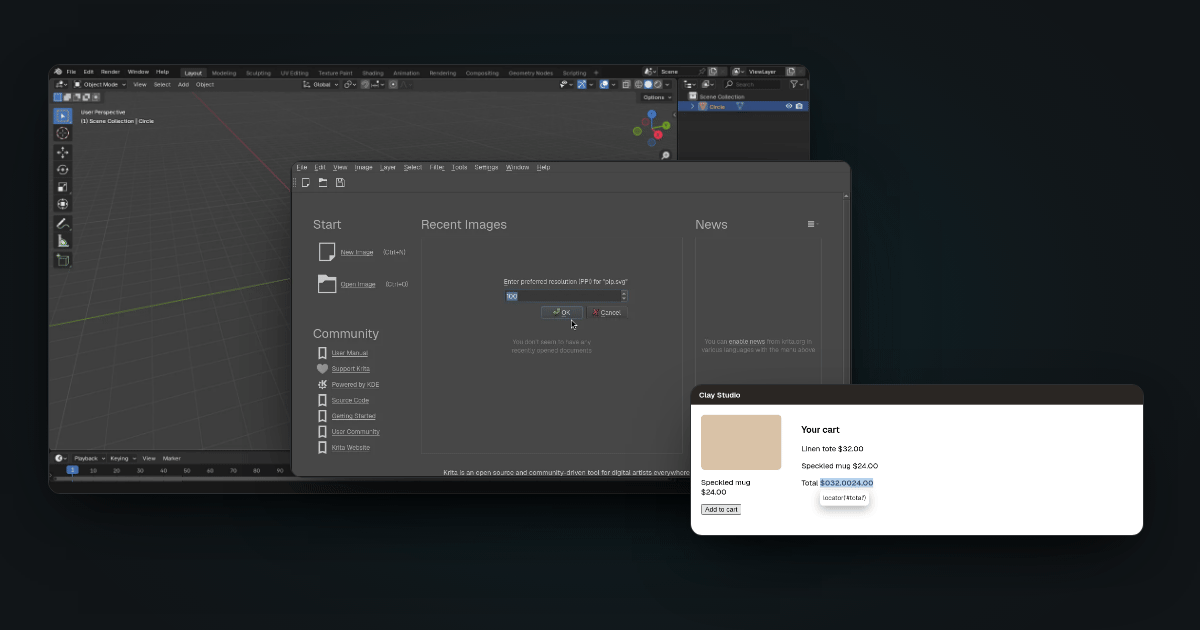
On Uremot, your agent works at a real computer, like a person: it sees the screen, uses the mouse and keyboard, and hears the sound. That's what "computer use" means. Its desk is a full desktop, so the agent uses an app the way you would, through its own window.
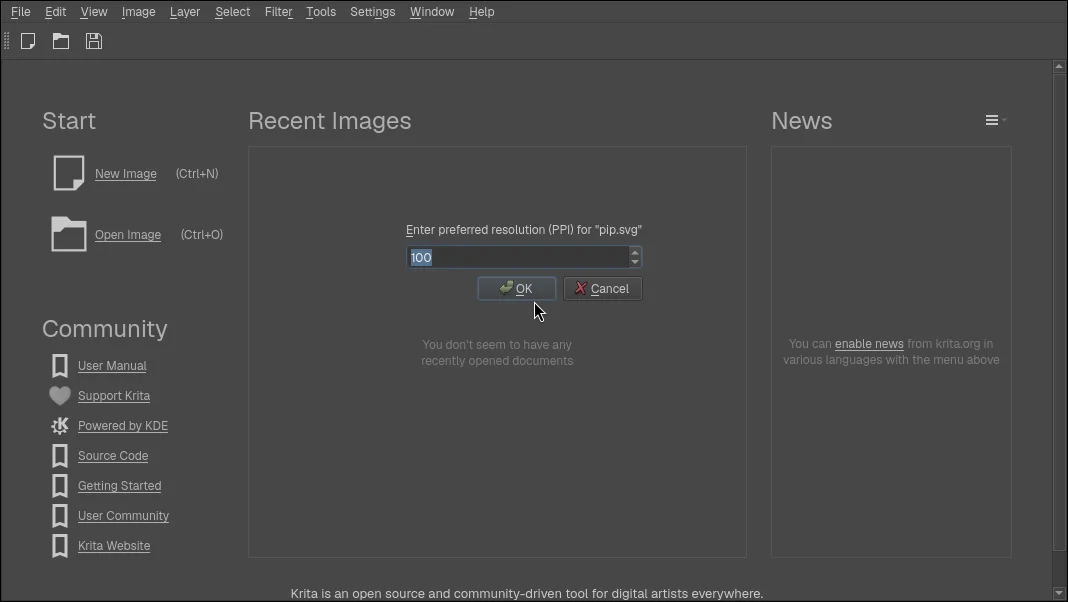
When a designer agent built a scene for our home page, it installed Krita and Blender on its desk, and their own windows opened there. It had Blender render frames from a script, then cut them with a sound into a film. Nothing in that chain was written for an AI.
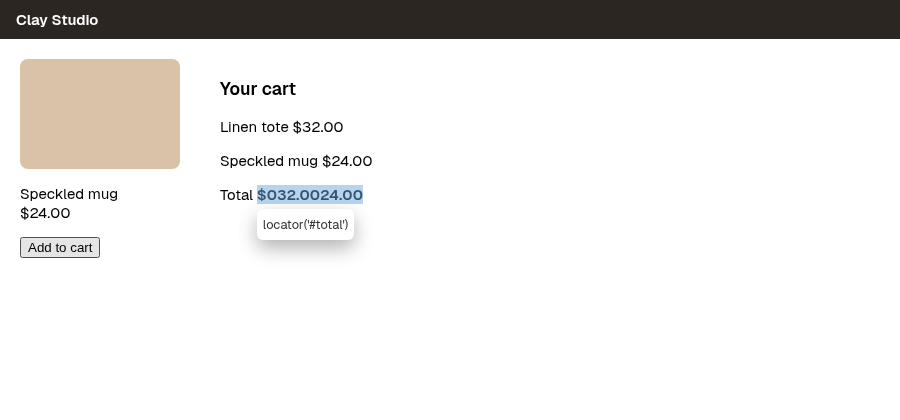
A bug can be the same. A shop's cart showed a wrong total, and the agent saw it the way a tester would: in Chromium on its desk, driven through Playwright, it added items to the cart, and the wrong total showed on the screen.
The whole run is in How agents built our homepage.
You watch, and you can step in#
An agent's screen isn't hidden. You watch its desk live in your browser and step in anytime, with your own keyboard and mouse, on the same screen it sees. That matters most when it's stuck: you see why, and you can fix it yourself. Watch and control a desk shows how.
When a headless sandbox is enough#
If the work is code and its output, with no app to open and nothing to look at, a headless sandbox does the job, and a full desktop is more than the agent needs. A desktop earns its place when the work happens in a window: an app with no API, a web page you have to click through, a design you have to see, or a result someone needs to watch.
Uremot runs headless work too. A service, such as a database, a queue or another server, runs as its own Instance on one of your Computes, with no screen, and desks reach it by its name. On Starter and above, your machines reach each other's services by name on the workspace network, so a desk on one machine can use a database on another, from a laptop to a cloud VM. Use a desk where the work needs a screen, and a service where it doesn't: Services and the workspace network has the steps.
Give your agent a desk#
- Getting started: from nothing to an agent at work.
- Hire an agent: choose its desk, its harness and its first task.
- Apps and the Marketplace: the desks you can hire onto.
- Watch and control a desk: watch it live, and take the keyboard.